TWM — Track What Matters
Designing the consumer experience for a connected tracking ecosystem
Defining the vision and experience for a consumer IoT ecosystem that connects physical tracking products with web commerce, real-time monitoring and everyday safety across mobile and web.
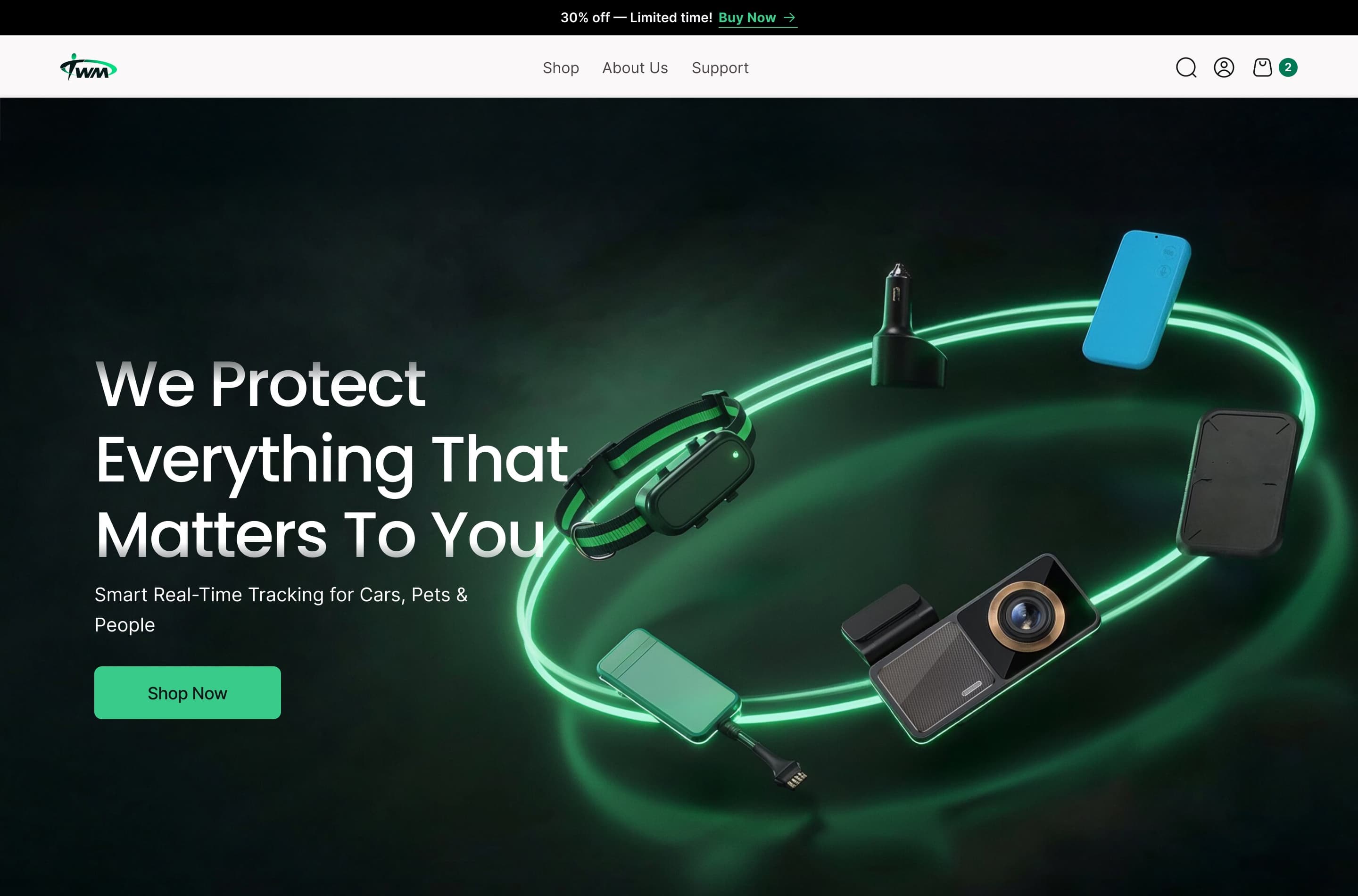
- My Role
- Design Director · Advisory / Consultant
- Platforms
- Web · iOS · Android
- Product
- Consumer IoT · GPS Tracking
Product scale
- Customers
- 3.7K+
- Devices sold / connected
- 4.2K+
- Monthly orders
- 375
My contribution
- My role
- I led the definition of TWM as a shared consumer ecosystem across hardware, commerce and mobile.
- What I owned
- Product Vision · Mission · Scope Definition · Experience Strategy
- Design scope
- Research · Information Architecture · Web · Mobile · E-commerce · Design Direction
01Defining the ecosystem
From individual trackers to one connected product ecosystem
I led the definition of TWM as a shared consumer ecosystem — shaping the product vision, scope and experience strategy across hardware, commerce and mobile.
Product vision
Make connected tracking feel simple, trustworthy and useful for everyday consumers - regardless of whether they are protecting a person, pet, vehicle or asset.
Layer 1 - What people track
People
Safety & location
Pets
Safety, location & wellbeing
Case study focus
Vehicles
Security & movement
Assets
Visibility & protection
Layer 2 - One connected customer experience
Unified Hardware + Software Flow
Website
Discover & choose
Connected device
Sense & communicate
TWM app
Monitor & act
Different things to protect. Different hardware. One interaction model.
Principles that shaped the product
One ecosystem, not separate products
Interactions stay familiar regardless of what the customer tracks.
Hardware and software are one experience
Connectivity, battery and device behaviour directly shape the interface.
The rest of this case study follows the Pet Tracker to show how ecosystem strategy translated into product decisions.
The connected product journey
- Discover
- Choose
- Purchase
- Connect
- Track
- Respond
- Understand
02The experience challenge
Trust had to extend far beyond the location pin
Trust had to hold across the entire journey — choosing the right product, paying for it, connecting the device, understanding its state and acting when something changed.
The design question
How might we make connected tracking feel understandable and dependable at every moment of ownership?
01 - Before ownership
Choose with confidence
“Is this the right tracker, and do I understand what I’m paying for?”
- What the tracker does, who it’s for and what’s included.
- Pricing, subscription and total cost clear before payment.
02 - Everyday use
Know at a glance
“Is everything okay right now?”
- Location, safety and device readiness understandable in seconds.
- Battery, connectivity and freshness determine whether information can be trusted.
03 - When something changes
Act without hesitation
“Something is wrong. What should I do now?”
- What happened, where and when — made obvious.
- Actions most likely to help the user respond immediately.
03Research → product priorities
Broad research gave us the principles. Product research set the priorities.
Workshops, personas and problem-framing spanned family safety, pets, vehicles and assets. We turned the recurring themes into a priority model for the Pet Tracker.
Foundational research
Different people. Different things to protect.
Family & personal safety
- Stay informed without constant calls
- Balance safety with independence
“I don’t want to keep calling every hour just to check if they’re okay.”
Pet parents
- Know the pet is safe when I’m not around
- Respond quickly if the pet escapes
Vehicle owners
- Protect against theft
- Stay informed when someone else is using the vehicle
Personal assets
- Reduce anxiety when valuables go missing
- Prevent loss rather than only react
The pattern beneath the research
Safety was a relationship problem before it was a tracking problem.
People wanted to feel reassured without having to constantly call, check or monitor.
Cross-cutting insights
- Fewer manual check-ins, not more monitoring.
- The system helps before something changes.
- Safety tools lose value when they feel technical.
- Location alone isn’t enough without device reliability.
For the Pet Tracker, these became five questions:
- FindCan I locate immediately?
- TrustIs the tracker reliable?
- RespondWhat should I do now?
- UnderstandWhere has it been?
- LearnWhat does it mean?
How this shaped Pet Tracker scope
P0Safety & confidence
Must have
If users couldn’t find, trust or respond, nothing else mattered.
P1History & routine
Expected
Help users understand what happened beyond the current moment.
P2Intelligence
Differentiator
Turn historical data into useful interpretation.
P3Engagement & admin
Secondary
Useful, but never at the expense of immediate safety and confidence.
The research gave us a simple decision rule: safety, reassurance and reliability had to win over feature density.
That principle later shaped commerce, onboarding, information architecture, alerts, device-state design and analytics.
04From discovery to purchase
Helping customers choose before asking them to buy
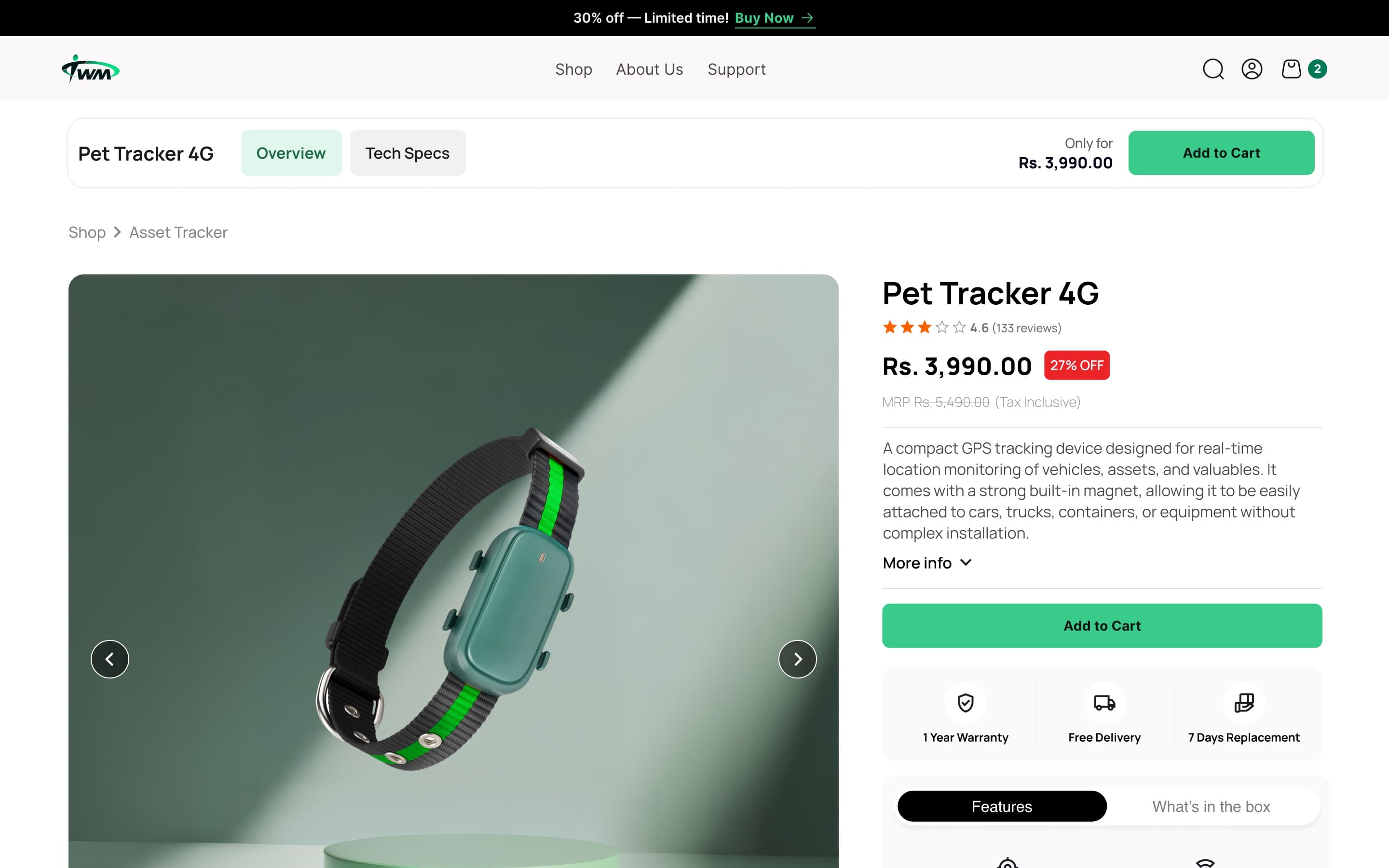
Connected products create more questions than conventional purchases. The buying experience had to answer them before checkout began.
Commerce principle
Reduce uncertainty before reducing clicks
A shorter funnel doesn’t help if customers still don’t understand what they’re buying.
Commerce snapshot
- Monthly unique website visitors
- approximately 3K
- Monthly orders
- approximately 375
- orders per 100 monthly unique visitors*
- approximately 12.5
*Directional ratio based on approximate monthly volumes.
01 - Discover
Start with what matters
“Which tracker is right for me?”
Organise products around what customers want to protect before asking them to understand hardware specifications.
02 - Evaluate
Translate features into value
“What will this actually help me do?”
Customers should understand what a capability does for them without interpreting GPS or connectivity specifications.
03 - Decide
Resolve the questions that block purchase
“Do I understand this enough to trust it?”
Protecting trust through checkout
The closer customers got to payment, the less ambiguity we could afford
Once the product decision was made, checkout had to keep the order, total cost, payment state and next step clear — without introducing new uncertainty.
Checkout principle
Nothing important should become less clear at the point of commitment.
01 - Information
Capture customer details clearly
“Can I complete this quickly and correctly?”
Order summary stays visible alongside the form.
02 - Shipping
Make delivery predictable
“When will I get it and what does it cost?”
03 - Payment
Make commitment predictable
“What am I paying, and what happens when I continue?”
How we evaluate checkout
Start
Checkout start
Information
Information complete
Pay
Payment
Order
Transaction volumeapproximately 375 Orders / month · Live transactional touchpoint.
05Structuring the app experience
What matters now shouldn’t compete with what matters over time
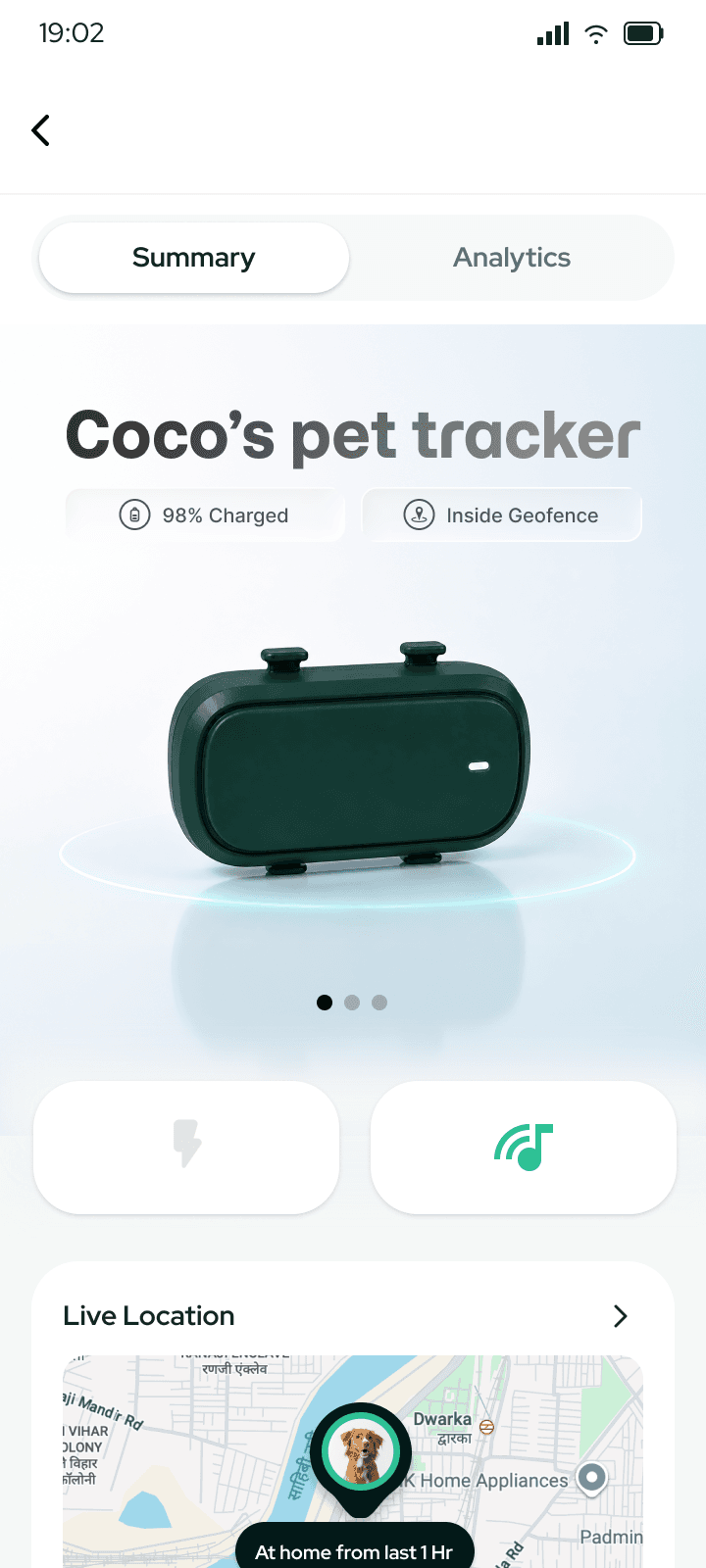
Research revealed two different behaviours: checking whether everything is okay now, and looking back to understand patterns. We separated them into Summary and Analytics instead of forcing both into one dashboard.
Summary Now
“Is everything okay?”
Analytics Over time
“What has changed?”
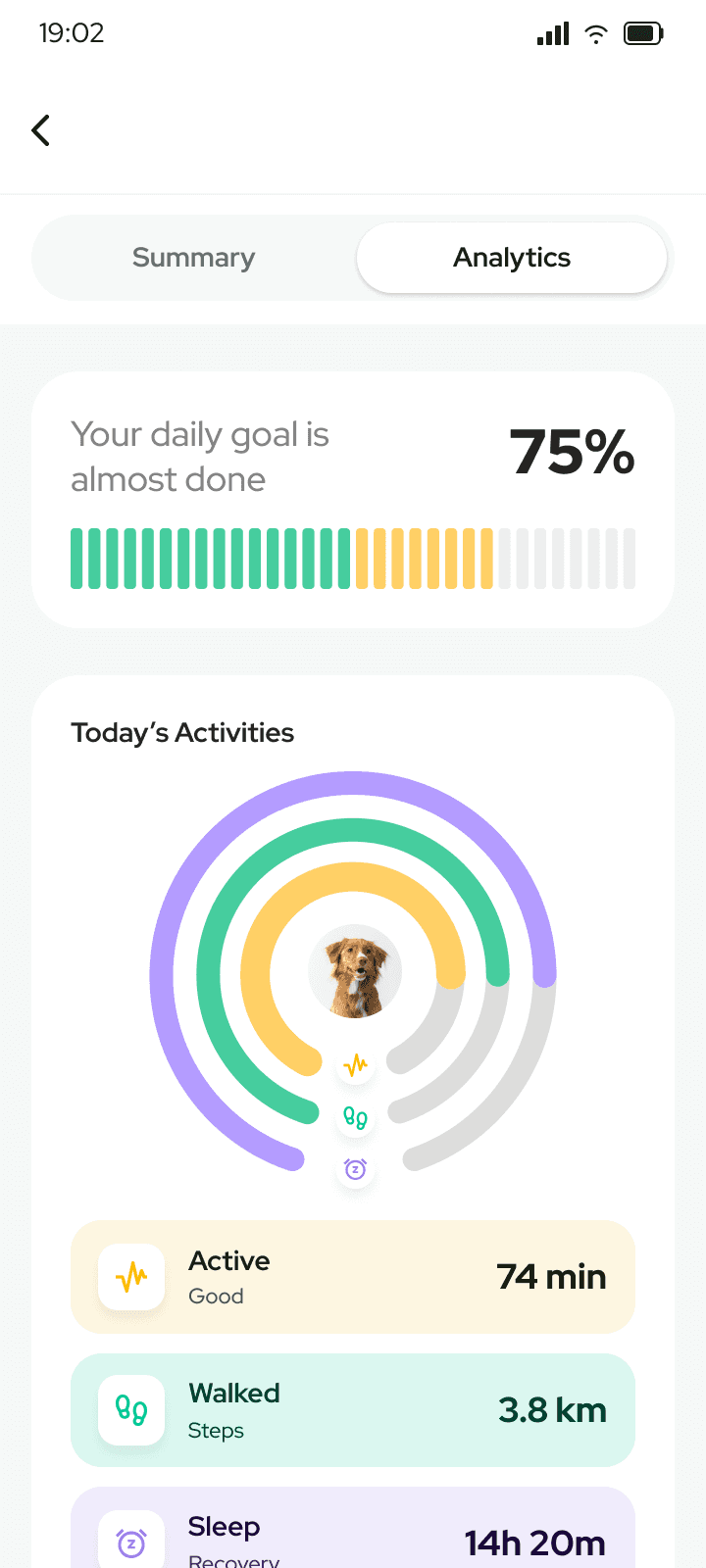
Analytics takes over when the question changes from state to pattern.
Information hierarchy
Location first
The primary question gets the largest visual area.
Trust stays visible
Battery, connectivity and freshness remain part of the main experience.
Safety before engagement
Immediate state appears before lower-frequency content.
06Designing for uncertainty
When confidence drops, the interface has to change priorities
Connected products cannot assume perfect GPS, battery or connectivity.
Interaction model as presented in the original case study
01 - Alert
Geofence alert
Coco has left Home
Exit detected 45s ago
Make the change obvious
State the event in plain language before asking the user to interpret the map.
02 - Act
Outside geofence
Coco
Last updated: Just now • GPS Live
Prioritise recovery
When urgency increases, recovery actions should displace secondary content.
03 - Recover
Coco is safe
Back inside Home safe zone
Make resolution explicit
The user should not have to infer whether the abnormal state is still active.
Related screens
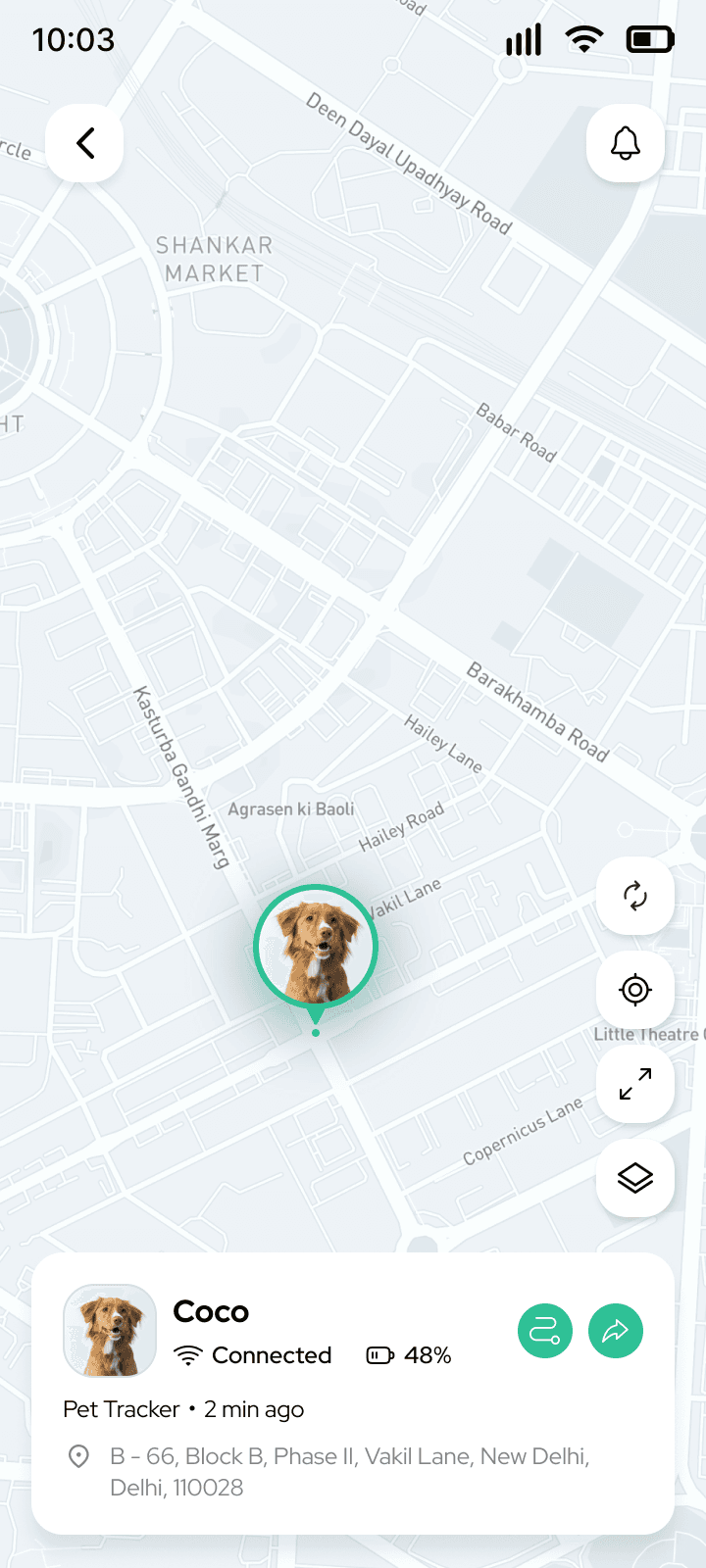
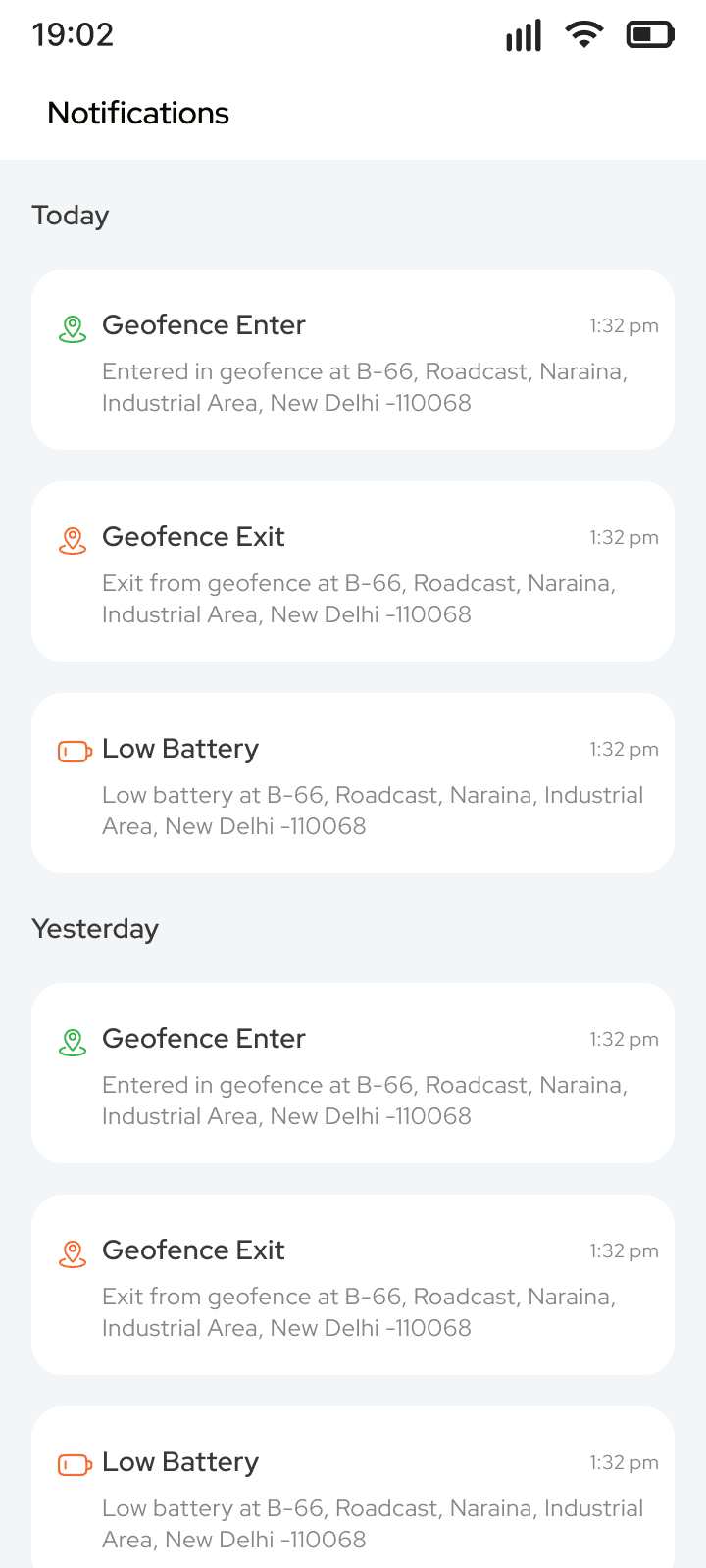
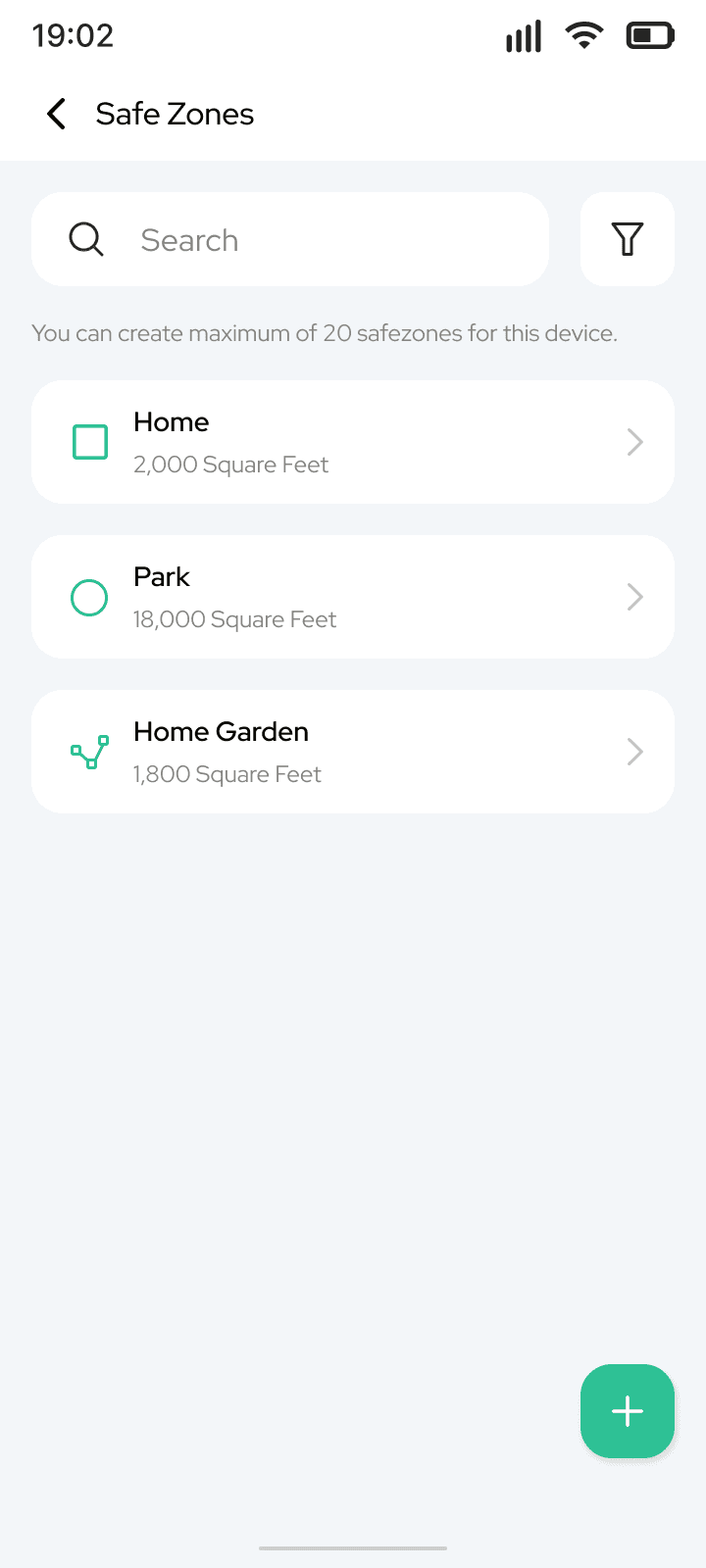
System state model
Good tracking UX doesn’t hide uncertainty. It makes uncertainty understandable.
Updated 8 sec ago
Device online
Last updated 8 min ago
Showing last known location
Charge soon
07From tracking to understanding
Tracking shows what happened. Analytics shows what changed.
Historical data became useful when it helped owners recognise changes in movement, activity and safety - without making them interpret raw tracking data themselves.
From snapshot to pattern
Period controls shift the question from “What happened today?” to “What has been changing?”
Data → pattern → meaning
- 5h 50m
- Below usual
- Activity is trending lower
Illustrative interpretation model
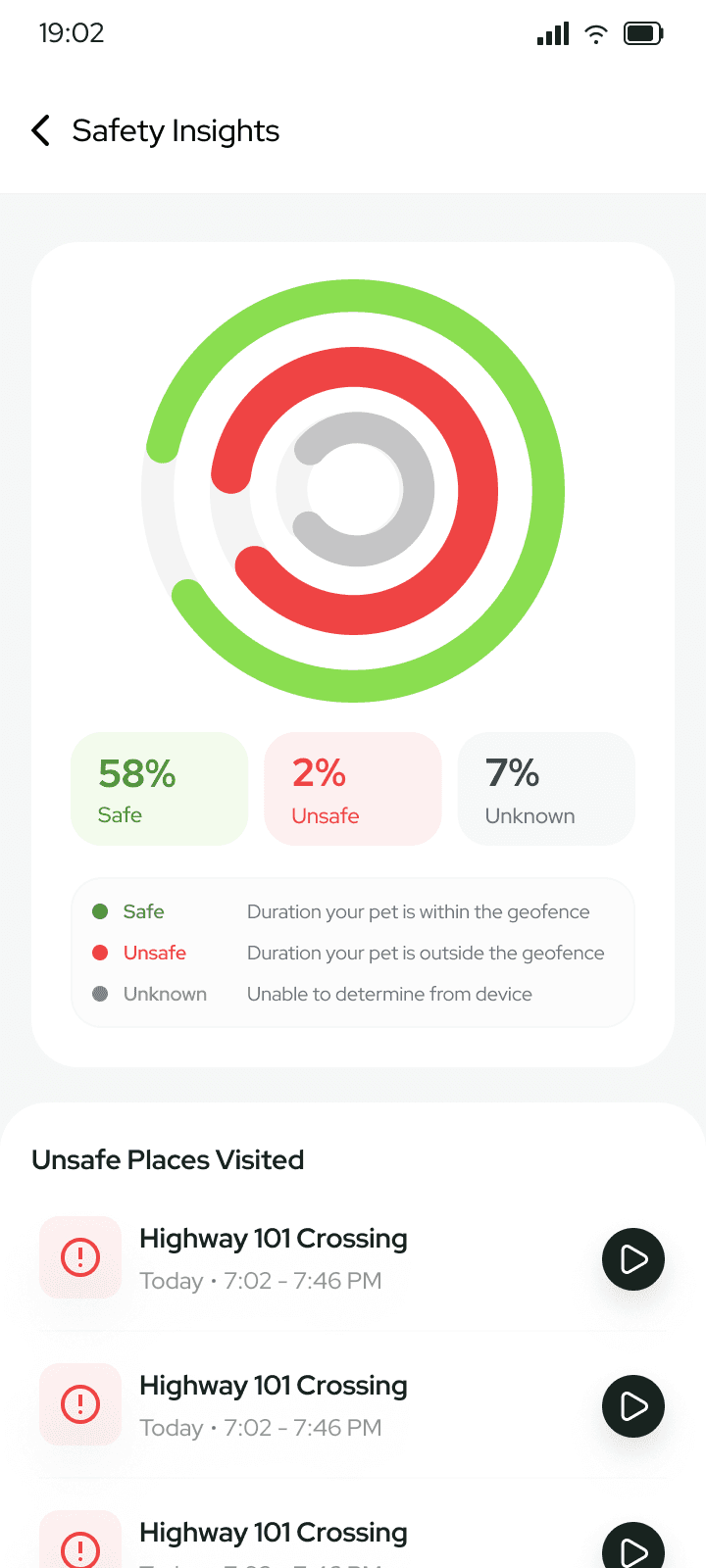
Movement → story
Location history becomes easier to understand when it can be replayed
Instead of presenting GPS points as records, Route Replay gives movement spatial context - where the walk happened, how long it lasted and what occurred along the way.
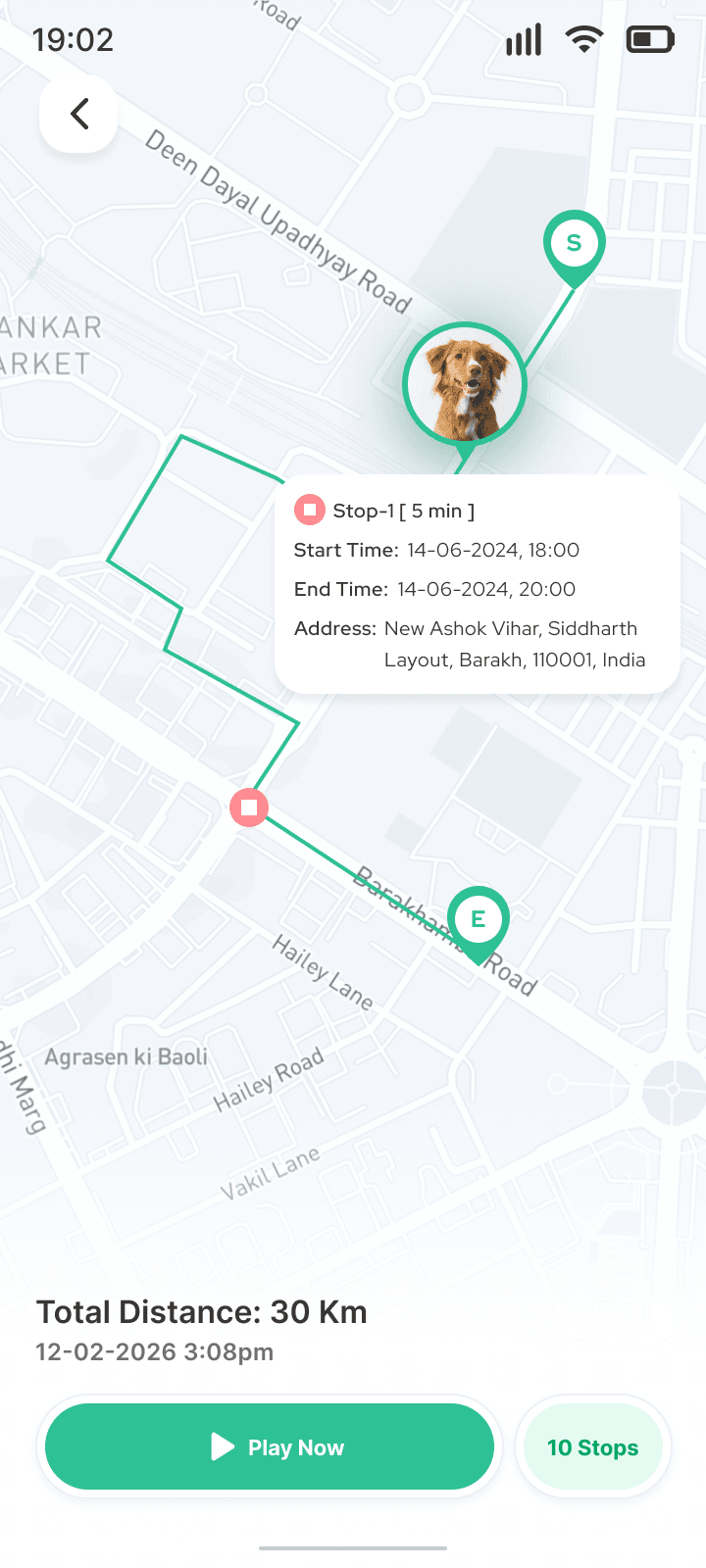
TWM evolved from answering “Where is it?” to helping users understand “What is changing?”
08Outcome & impact
From product vision to a measurable consumer ecosystem
TWM grew into a connected consumer experience serving thousands of customers across an expanding device ecosystem.
Impact at a glance
- App users / customers
- 3.7K+
- Devices sold & connected
- 4.2K+
- Monthly orders
- approximately 375
- Monthly unique website visitors
- approximately 3K
- Directional visit-to-order ratio
- approximately 12.5 per 100
- Based on approximate monthly volumes.
What I led
- Vision & mission
- Strategy
- Research
- Commerce
- Mobile architecture
- Design direction
Business impact
Direct consumer journey
Connected discovery, purchase, hardware and ongoing mobile use into one experience.
Reusable product model
Created a structure that could extend across pets, people, vehicles and assets.
Relationship beyond purchase
Extended the product into activation, tracking, alerts, history and analytics.
How we measure the ecosystem
Acquire
- Visitors
- PDP
- Add to cart
- Orders
Activate
- Device setup
- Activation success
- First valid location
Engage
- Active app users
- Live tracking
- Alerts
- Route Replay
- Analytics
Retain
- Returning users
- Active-device retention
- Repeat purchase
- Renewal
The outcome wasn’t just a better interface. It was a consumer product system that could be discovered, bought, activated, used and measured as one experience.
Lesson
Trust is a product feature
A location is useful only when users understand how current and reliable it is.